Many agents. Many branches.
One window.

Agency runs the coding agent CLIs you already use, side by side on your own machine. Each one gets a real terminal, its own git worktree, and its own branch.

v0.1.0 · macOS 11 or later, Apple Silicon · free · no account

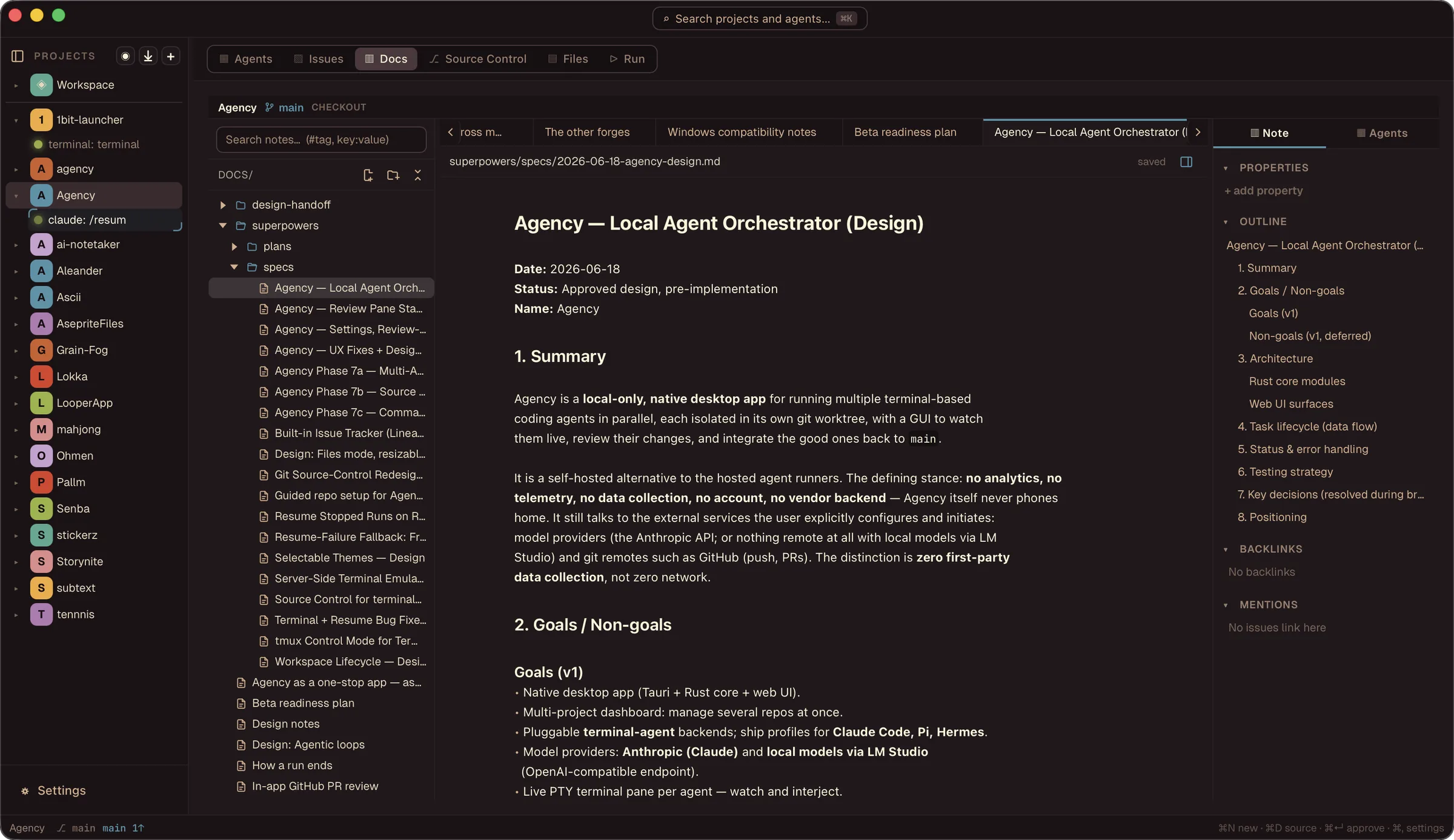
The Agency window showing the all-projects overview: 16 projects and 13 agents, with live terminal output from several Claude Code runs, each on its own agent branch, and a plain terminal alongside.
Works with what you already run

Claude Code·Codex·Pi·OpenCode·Copilot CLI·Cursor·Hermes·Gemini CLI·Kimi Code·Crush·DeepSeek Harness

Agency finds what is on your PATH and offers to install what is not. Your keys and subscriptions, unchanged.

Nothing of yours comes to us

No account. No vendor backend. No analytics, no telemetry.

There is no server of ours for it to talk to. Nothing to sign up for: download it, open it, point it at a repo. The agents are third party and talk to their own providers.

Read the privacy page
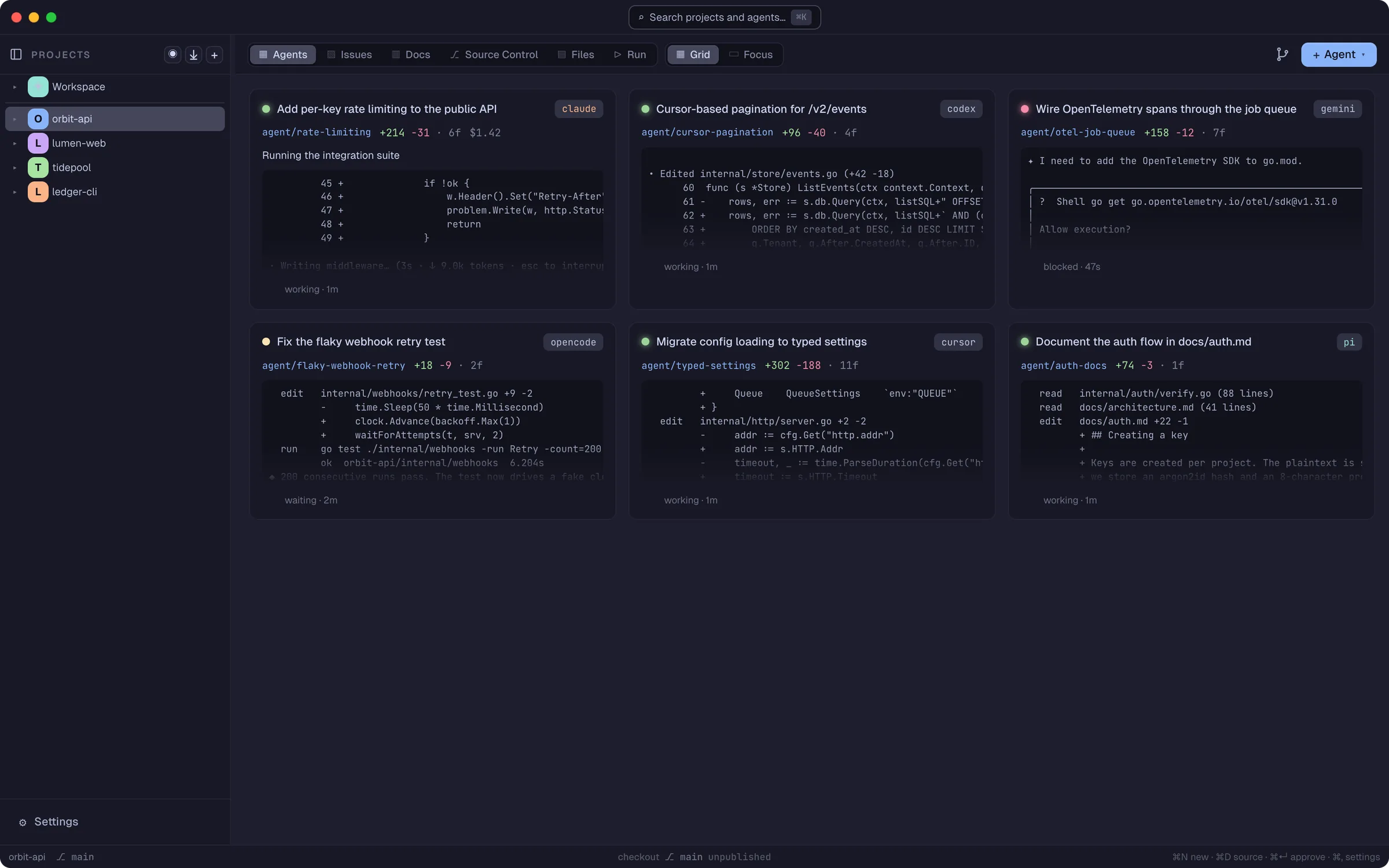
An agent in focus view: Claude Code working an issue in its own worktree, the run rail on the left listing other agents, and the changes and commit history panel on the right with an Approve button.
Parallel by default

Six agents, six branches, no collisions

Every run opens in its own git worktree, so agents working the same repo never touch each other's files. Watch them all in a grid, or pull one full size when it needs you.

  • Different agent types on the same repo at the same time
  • Plain terminals alongside, in the project checkout, when you want one
  • Worktrees are the default, not a requirement
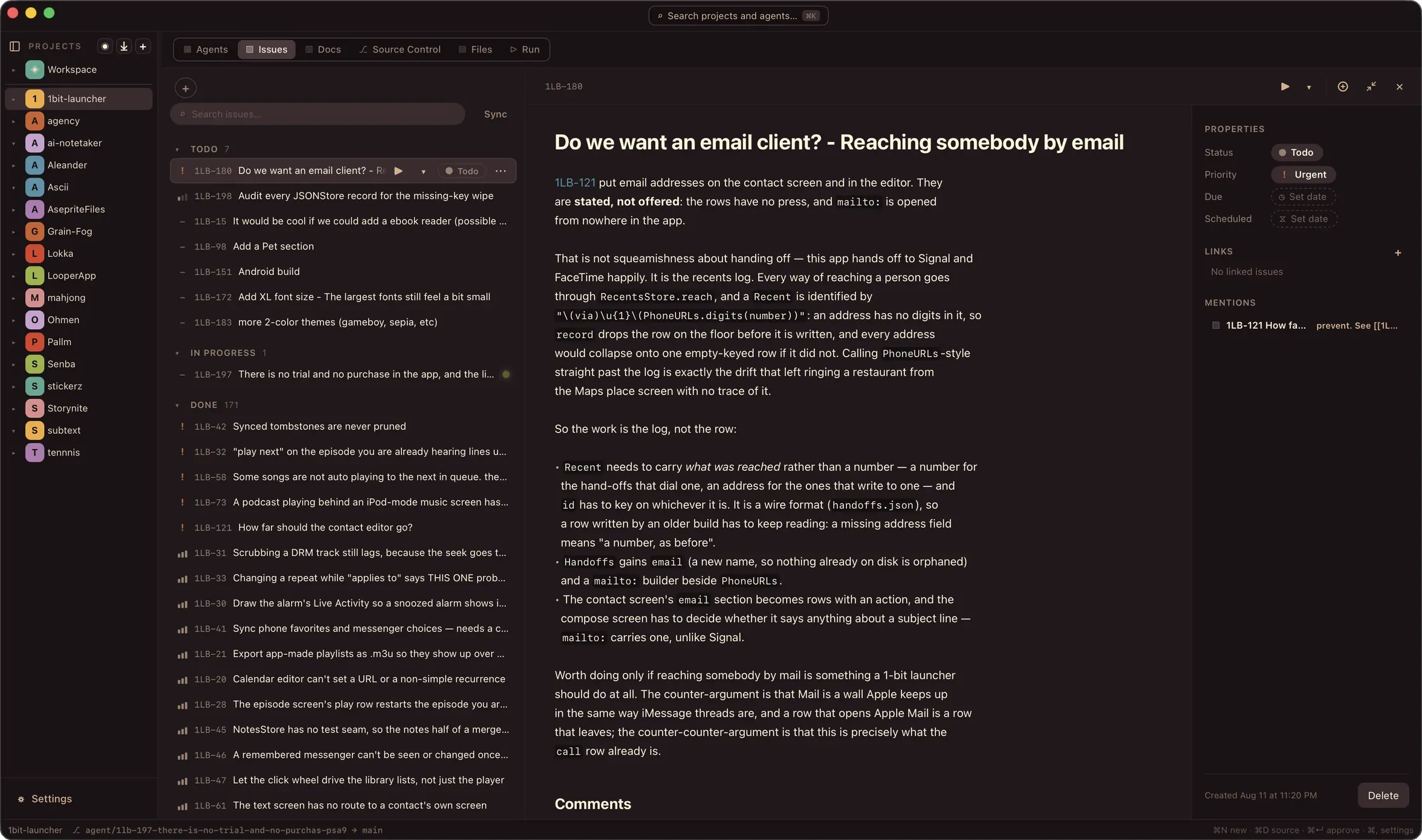
The Issues tab: a board grouped by Todo, In progress and Done, with an open issue detail showing the body, properties, priority and linked mentions.
Issues

Your tracker is a folder of markdown files

Issues live in your project as files. That is why an agent can work them: picking one up, changing its status, adding a comment and filing a follow-up are all just edits.

  • Dispatch an issue to an agent and it moves to In progress
  • Open a PR and it moves to In review. Merge and it closes
  • Comments, links, attachments and due dates, all in the file
The Docs tab: a rendered markdown design note open in the editor with the notes tree on the left, and the note's properties, outline and backlinks in the panel on the right.
Docs

Notes your agents can actually read

A wiki that lives in your repo. Wikilinks, backlinks, tags, properties, an outline and a quick switcher, plus a journal with daily notes and a weekly note generated from what actually happened.

  • Hand a note to an agent and watch the page update as it writes
  • Put an agent in the side panel of the note you are working on
  • Keep a notes-only workspace with no code in it at all
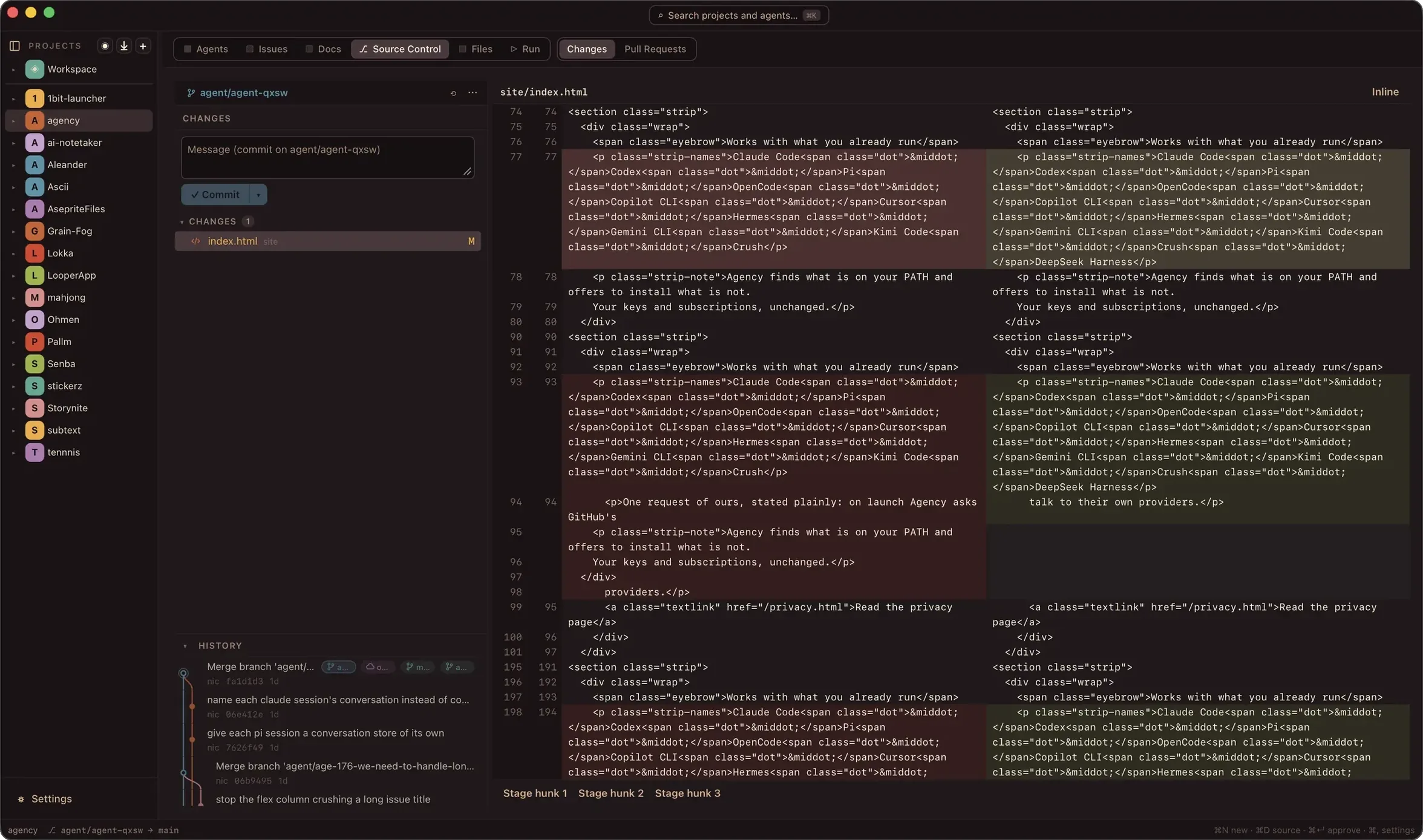
Source Control Changes: a side-by-side diff open for review, the commit form for the agent branch, and the branch history graph below.
Review

Read the diff before you trust it

Staged changes, per-hunk diffs, commit, history, branches and stash, for whichever worktree you are standing in. Review a pull request, create one, merge it, and resolve the conflicts when two agents reach for the same lines.

  • Per-run diffs, so you review one agent's work at a time
  • Comment on a diff and send it straight back to the agent

Terminal first

Agency does not reimplement your agent. It spawns the CLI you already use in a real terminal, TUI and all.

Agent agnostic

Eleven agent CLIs built in, and any other you can launch from a command line. Bring your own keys.

Many projects, one window

Set agents going on one project, switch to the next, and come back when they are done. One home screen covers all of them.

Notified when it matters

Desktop alerts when an agent finishes, goes quiet waiting on you, crashes a run script, or hits a merge conflict. Silent for the run you are watching.

Auto-resume

Quit with work in flight. Reopen, click the run, and the conversation picks up where the agent's CLI can continue it.

Race and loop

Send one prompt to four agents and keep the branch you like best. Or loop one agent until your test command exits clean.

Built with itself

Agency built Agency

Almost every feature on this page was written by agents running in Agency, on worktrees Agency cut, reviewed and merged in the app. The commit history is the receipt.

Get it

Pre-1.0 and in beta. Linux and Windows are planned.